
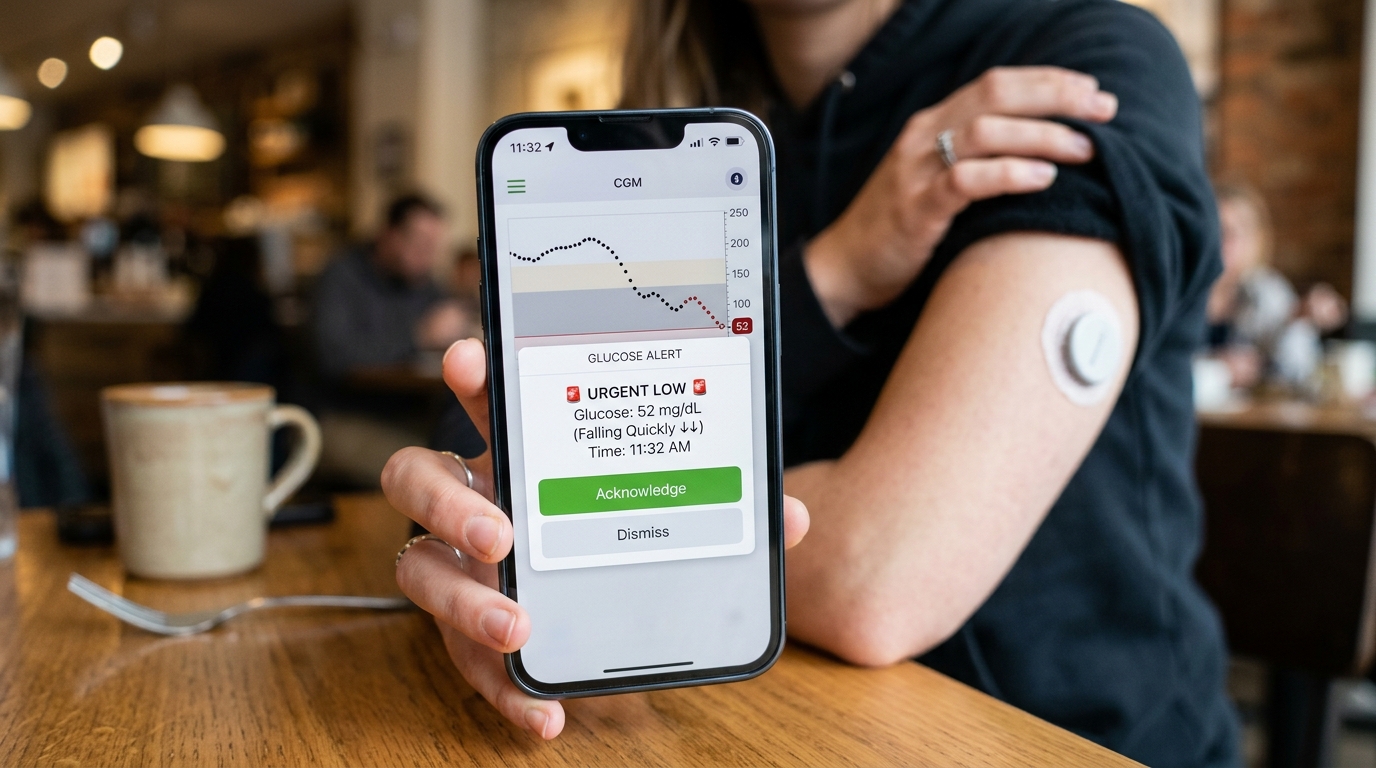
CGM Glucose Alerts Setup: Getting the Most Out of Your Device
One of the most valuable features of any continuous glucose monitor is also one of the most commonly overlooked during initial setup: customizable alerts. Many new users leave their alert settings at default values, missing out on one of the technology's most practical safety benefits. Properly configuring CGM glucose alerts can mean the difference between catching a dangerous low blood sugar episode within minutes and discovering it much later, after symptoms have already become serious.
This guide walks through everything Pakistani users of the iCan CGM i3 need to know about setting up glucose alerts correctly, avoiding common mistakes, and tailoring the system to their personal needs.
Why Alert Setup Matters More Than Most Users Realize
Alerts are what transform a continuous glucose monitor from a passive data source into an active safety tool. Without properly configured thresholds, a patient might only notice a dangerous glucose swing by chance, defeating much of the purpose of continuous monitoring in the first place.
The Difference Between Passive Data and Active Protection
Simply having access to glucose data is useful, but it requires the user to actively check their phone at the right moment to be effective. A properly configured alert system removes this dependency entirely, notifying the user automatically the instant glucose crosses a concerning threshold, regardless of whether they happen to be looking at their phone.
Reducing Response Time During Critical Moments
The speed of response during a glucose emergency often determines how serious the situation becomes. A well-tuned CGM glucose alerts setup gives patients and caregivers valuable extra minutes to respond, whether that means consuming a fast-acting carbohydrate during a low or adjusting activity during a high.
Understanding the Types of Alerts Available
Before diving into setup, it helps to understand the different categories of alerts most continuous glucose monitoring systems, including the iCan CGM i3, typically offer.
High Glucose Alerts
A high glucose alert triggers when readings rise above a set threshold, warning the user of an extended period of elevated blood sugar that may require attention, such as adjusting medication timing or reconsidering recent food choices.
Low Glucose Alerts
A low glucose alert is triggered when readings fall below a set threshold, offering an early warning of hypoglycemia before symptoms become severe. This is particularly valuable overnight, when low blood sugar events are far more likely to go unnoticed until they escalate.
Rate of Change Alerts
Some systems also offer alerts based on how quickly glucose is rising or falling, rather than a fixed threshold alone. This can provide an even earlier warning in situations where glucose is moving rapidly in one direction, even if it has not yet crossed a standard high or low threshold.
Step-by-Step CGM Glucose Alerts Setup
Configuring alerts correctly involves a few simple steps within the companion app, each of which plays an important role in how effective the system will be day to day.
Accessing the Alert Settings Menu
After pairing the sensor with the app and allowing the initial warm-up period to complete, users can navigate to the dedicated alerts section within the settings menu, where high, low, and rate-of-change thresholds can each be adjusted individually.
Setting Personalized High and Low Thresholds
Rather than relying on generic default values, patients should set thresholds based on the target range recommended by their doctor. This ensures alerts reflect each individual's specific medical needs rather than a one-size-fits-all setting that may not apply to their particular treatment plan.
Adjusting Alert Sound and Vibration Preferences
Many apps allow users to customize how alerts are delivered, whether through sound, vibration, or both. Choosing settings appropriate for different times of day, such as a louder alert overnight, helps ensure important notifications are not missed during sleep.
Enabling Repeat Alerts for Unresolved Issues
Some systems allow for repeat notifications if a glucose level remains outside the target range for an extended period without being addressed. Enabling this feature adds an extra layer of safety, particularly for patients who may not immediately notice the first alert.
Customizing Alerts for Different Situations
A single fixed alert setting rarely fits every situation a patient encounters throughout a typical week, and many users benefit from adjusting settings based on context.
Overnight Versus Daytime Settings
Some patients choose slightly different alert thresholds for overnight hours compared to daytime, given the increased risk associated with undetected lows during sleep. Reviewing and adjusting these settings periodically, particularly after any changes in medication or routine, helps keep the system aligned with current needs.
Adjusting Around Exercise
Physical activity can cause more rapid glucose changes than usual, and some users temporarily adjust their alert thresholds during and after exercise sessions to account for this increased variability.
Adjusting for Illness or Medication Changes
Periods of illness or recent changes in medication can shift how glucose behaves throughout the day, and revisiting alert settings during these times helps ensure the system continues providing relevant, timely warnings.
Sharing Alerts With Family Members or Caregivers
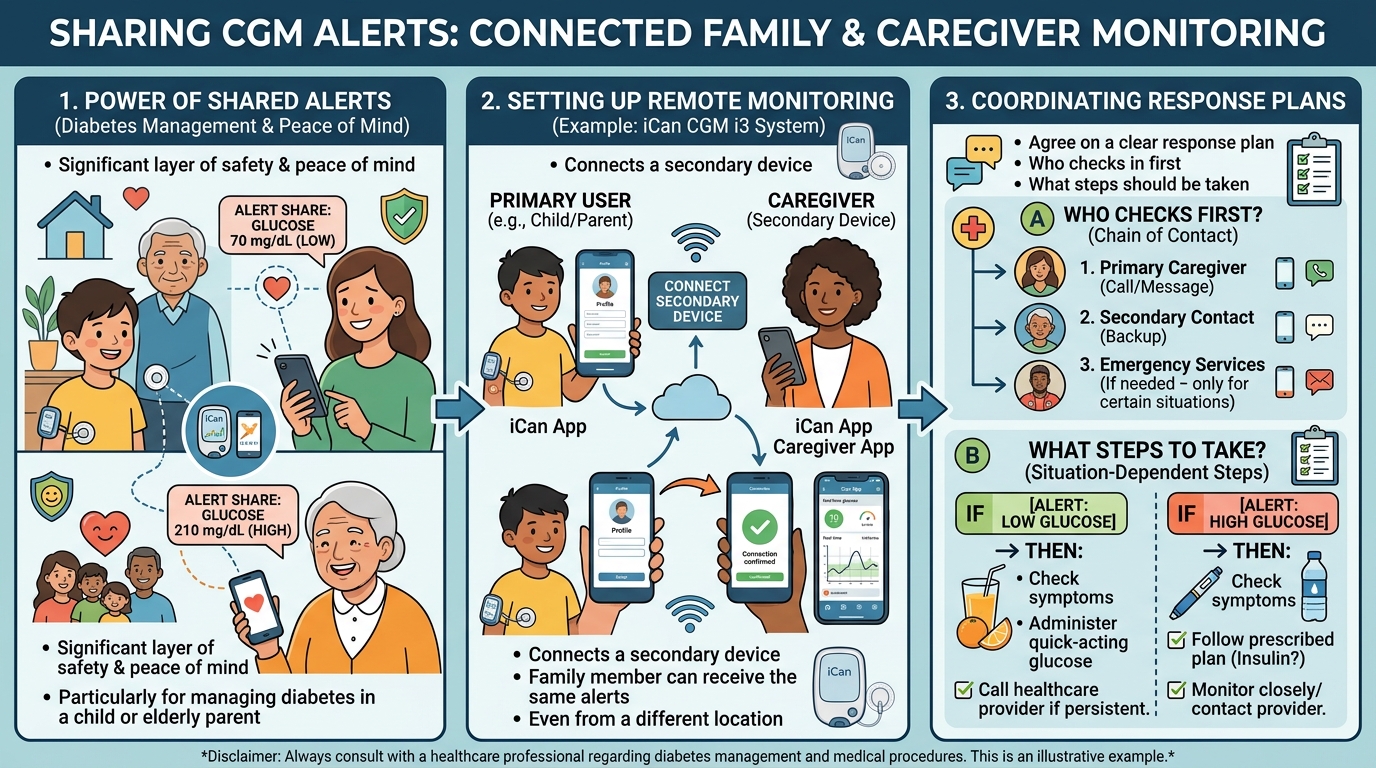
For many households, particularly those managing diabetes in a child or elderly parent, the ability to share glucose alerts with a caregiver's device adds a significant layer of safety and peace of mind.
Setting Up Remote Monitoring
Many continuous glucose monitoring apps, including the one paired with the iCan CGM i3, support connecting a secondary device so a family member can receive the same alerts as the primary user, even from a different location.
Coordinating Response Plans
Once shared alerts are set up, it helps for families to agree on a clear response plan in advance, such as who checks in first when an alert is triggered and what steps should be taken depending on the situation.
Common Mistakes to Avoid During Alert Setup
A few recurring mistakes can significantly reduce how effective a CGM glucose alerts setup actually is in practice.
Leaving Default Settings Unchanged
Many new users skip customizing their thresholds entirely, relying on generic default settings that may not reflect their doctor's recommended target range. Taking a few extra minutes during initial setup to personalize these values makes a meaningful difference in how useful the alerts become.
Setting Thresholds Too Narrowly
Setting alert thresholds too close to normal glucose fluctuations can lead to frequent, unnecessary notifications, sometimes causing users to become desensitized and begin ignoring alerts altogether. Finding a balanced threshold, ideally in consultation with a doctor, helps avoid this kind of alert fatigue.
Forgetting to Adjust After Medical Changes
Failing to revisit alert settings after a change in medication, diagnosis, or treatment plan can leave a patient using thresholds that no longer reflect their current medical needs.
Reviewing and Refining Alert Settings Over Time
A CGM glucose alerts setup is rarely something to configure once and forget entirely. Reviewing settings periodically, particularly during doctor visits, helps ensure the system continues to serve its intended safety purpose.
Bringing Alert Data to Doctor Appointments
Sharing historical alert frequency and glucose reports with a doctor during regular checkups can help determine whether current thresholds remain appropriate or need adjustment based on how treatment is progressing.
Adjusting as Health Circumstances Change
As a patient's overall health, activity level, or medication regimen evolves over time, their ideal alert thresholds may need to evolve as well, making periodic review an important part of long-term continuous glucose monitoring.
Getting Extra Support With Setup
For users who feel unsure about configuring their CGM glucose alerts setup correctly, additional guidance is available through the detailed how to use guide on the iCan CGM Pakistan website, along with direct WhatsApp support for any specific questions that arise during the process.
Frequently Asked Questions
What is the most important alert to set up first on a new CGM device?
Both high and low glucose alerts are important from the start, though many patients prioritize the low glucose alert first, given the safety risks associated with undetected hypoglycemia.
Should I use the same alert thresholds during the day and overnight?
Some patients choose slightly different thresholds for overnight hours, particularly for low alerts, given the increased difficulty of noticing symptoms while asleep.
Can I share my glucose alerts with a family member's phone?
Yes, most continuous glucose monitoring apps, including the one used with the iCan CGM i3, support connecting a secondary device for remote alert sharing.
What should I do if I am getting too many false alerts?
Reviewing and adjusting threshold settings, ideally in consultation with a doctor, can help reduce unnecessary notifications and prevent alert fatigue over time.
How often should I review my CGM glucose alerts setup?
It is worth reviewing alert settings periodically, especially after any change in medication, activity level, or overall health circumstances.