How to Set Up CGM Glucose Alerts for Safer Diabetes Management
One of the most powerful features of any continuous glucose monitor is not the trend graph itself, but the alert system built around it. CGM glucose alerts turn a passive stream of data into an active safety mechanism, warning users before a dangerous high or low actually arrives, rather than only confirming it after the fact. Yet many new users either leave these alerts at generic default settings or turn them off entirely after becoming overwhelmed by frequent notifications. This guide walks through how to set up CGM glucose alerts properly, customize them to fit real daily life, and avoid the common pitfalls that lead people to disable this valuable safety feature altogether.
Why CGM Glucose Alerts Matter So Much
The core value of CGM glucose alerts lies in their ability to provide advance warning. Traditional fingerstick testing only reveals a problem after it has already occurred, since the person has to actively decide to test at the right moment to catch it. CGM glucose alerts, by contrast, continuously monitor the data stream in the background and notify the user the moment glucose crosses a defined threshold, or in more advanced systems, when it is predicted to cross that threshold soon. This shift from reactive to proactive monitoring is particularly valuable during sleep, exercise, or any other time when a person might not think to check their glucose manually.
Types of CGM Glucose Alerts
High and Low Glucose Alerts
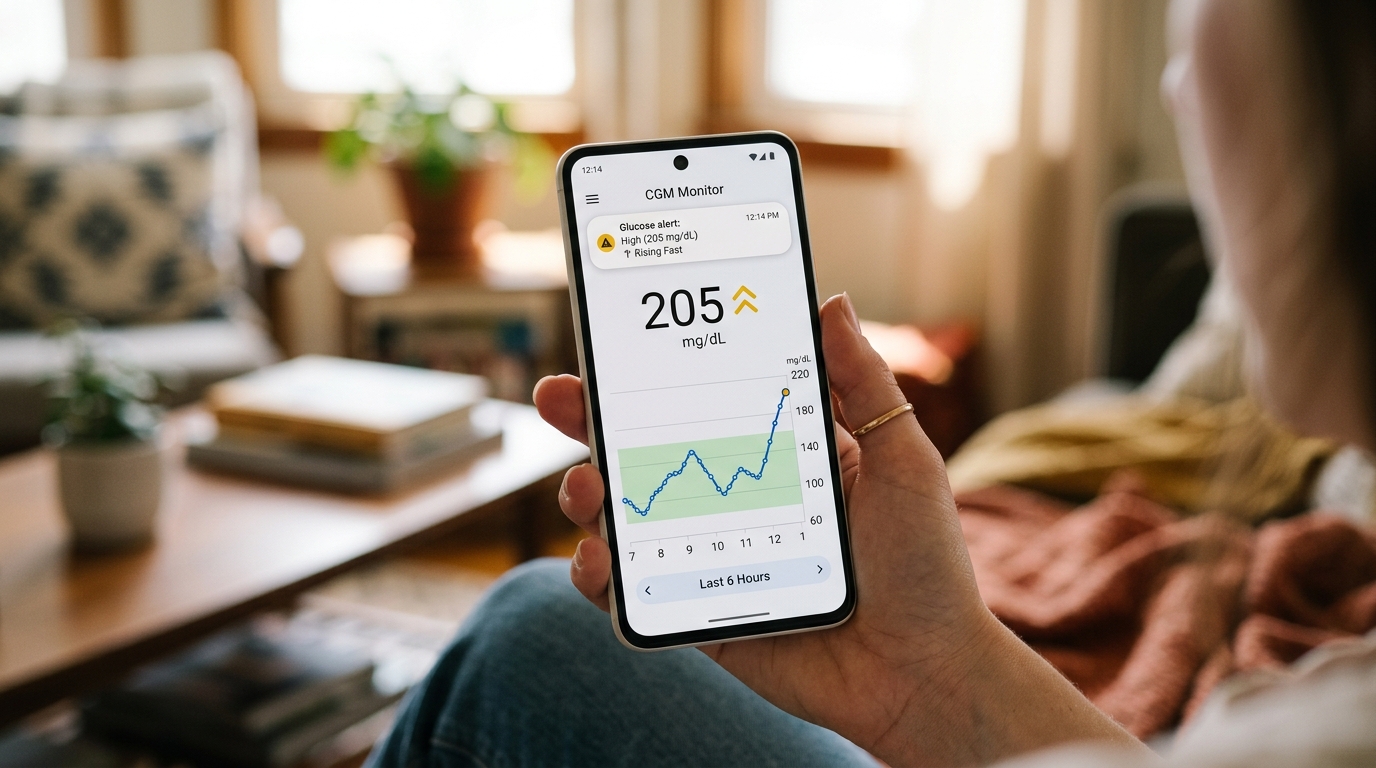
The most basic and widely used form of CGM glucose alerts are simple threshold alerts, which notify the user when glucose rises above or falls below a specific number set by the user or their doctor. These form the foundation of most alert setups and are typically the first thing configured when starting with a new continuous glucose monitor.
Rate of Change Alerts
Some continuous glucose monitoring systems also offer rate of change alerts, which notify the user when glucose is moving rapidly in either direction, even if it has not yet crossed the standard high or low threshold. This type of CGM glucose alert can provide extra warning time, particularly useful for catching a fast-developing low before it becomes severe.
Predictive Alerts
More advanced systems include predictive CGM glucose alerts, which use recent trend data to estimate that a high or low threshold will likely be crossed within a set number of minutes, even though the current reading is still within range. This gives the user a valuable head start to intervene before the actual threshold is reached, rather than only being notified once the problem has already begun.
Step-by-Step Guide to Setting Up CGM Glucose Alerts
The first step in setting up CGM glucose alerts is opening the settings section of the companion smartphone app or reader device, which is typically where all alert configuration options are found. From there, the user should set an appropriate low glucose threshold, generally based on guidance from their doctor, since this number can vary depending on individual treatment goals and medical history. The same process is repeated for the high glucose threshold, again ideally set in consultation with a healthcare provider rather than relying purely on generic default values.
Once the basic high and low thresholds are configured, users with access to rate of change or predictive alert features should review those settings as well, adjusting sensitivity levels based on how much advance warning feels genuinely useful without becoming overwhelming. Finally, it is worth testing the alert sound and vibration settings to confirm they are loud or noticeable enough to wake the user during sleep, since a silent or overly quiet alert defeats much of the purpose of having the feature in the first place.
Customizing Thresholds to Match Real Life
Generic default thresholds are rarely the perfect fit for every individual. Someone who experiences frequent mild lows may want a slightly higher low threshold to provide extra warning time, while someone with very stable control might prefer tighter thresholds to catch smaller deviations earlier. CGM glucose alerts should ideally be reviewed periodically, particularly after any change in medication, activity level, or overall health status, since a threshold that worked well six months ago may no longer reflect current treatment goals.
Avoiding Alert Fatigue
One of the most common reasons people eventually disable CGM glucose alerts altogether is alert fatigue, which happens when thresholds are set too tightly and the device ends up notifying the user constantly, even for minor, harmless fluctuations. This constant stream of notifications can quickly become exhausting and lead users to ignore or silence alerts entirely, undermining the very safety benefit the feature was designed to provide. Finding a threshold setting that flags genuinely important events without triggering excessively for minor, expected fluctuations is key to keeping CGM glucose alerts useful over the long term rather than becoming background noise that gets tuned out.
Sharing CGM Glucose Alerts With Family and Caregivers
Many modern continuous glucose monitoring systems allow CGM glucose alerts to be shared remotely with a family member or caregiver, which can add an important extra layer of safety, particularly for children, elderly users, or anyone living alone. Setting this up typically involves inviting a trusted contact through the companion app, who can then receive their own notifications when the primary user's glucose crosses a concerning threshold, even if they are in a different location entirely. This feature has proven especially valuable for parents of children with type 1 diabetes, allowing them to monitor safely from another room or even while the child is at school, depending on the specific system's connectivity range.
Managing CGM Glucose Alerts During Sleep
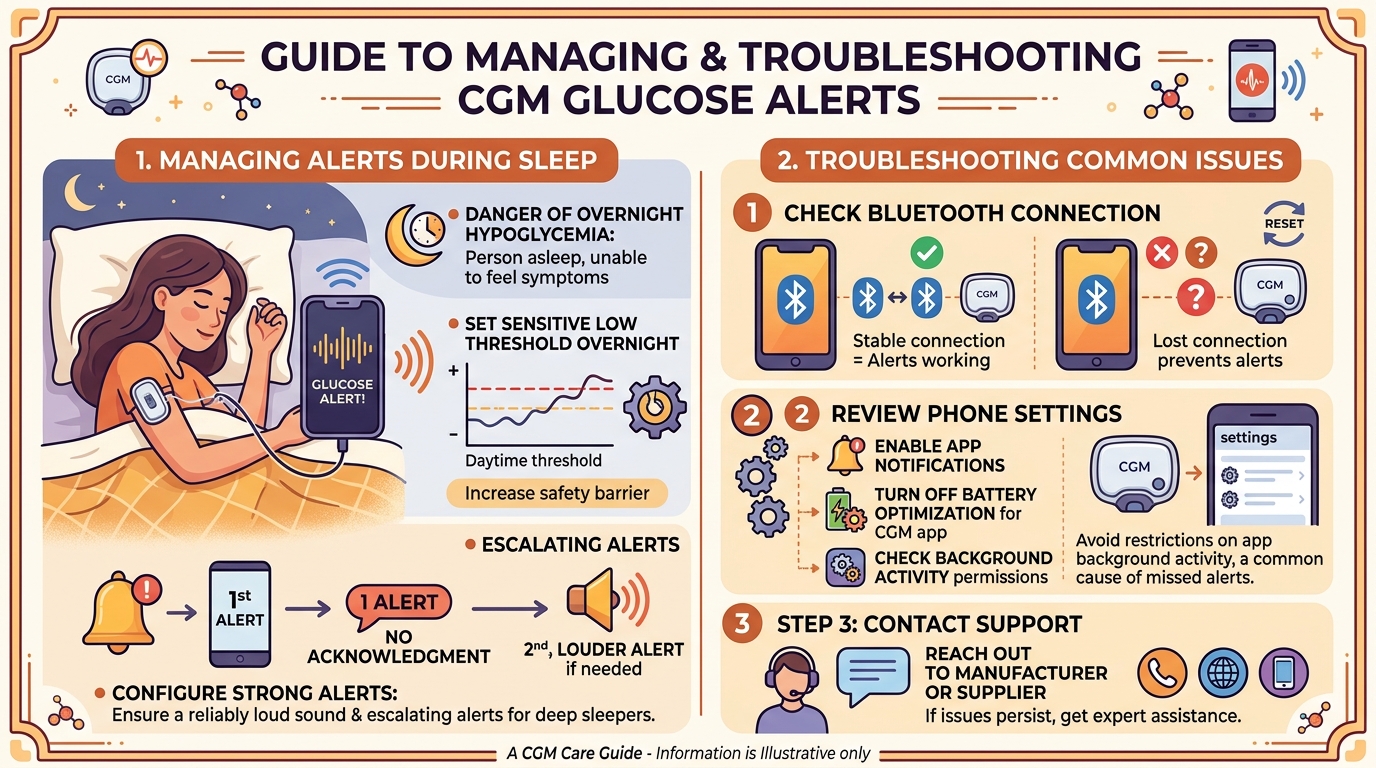
Overnight hypoglycemia is one of the most dangerous scenarios in diabetes management, since the person is asleep and unable to notice typical warning symptoms. Configuring CGM glucose alerts with a slightly more sensitive low threshold overnight, combined with a strong enough alert sound to reliably wake the user, is one of the most important safety measures a continuous glucose monitor user can take. Some systems also allow escalating alerts, where a second, louder notification is triggered if the first alert is not acknowledged within a set period, adding an additional safeguard for particularly deep sleepers or situations involving elevated hypoglycemia risk.
Troubleshooting Common Alert Issues
If CGM glucose alerts are not triggering as expected, the first thing to check is whether Bluetooth connectivity between the sensor and the paired smartphone or reader is stable, since a lost connection can prevent alerts from firing correctly. Phone settings should also be reviewed to confirm that notifications for the companion app are enabled and that battery optimization settings are not silently restricting the app's background activity, a common but often overlooked cause of missed alerts on certain smartphone models. If alerts continue to behave unpredictably after checking these basics, reaching out to the device manufacturer's support channel or the supplier who provided the sensor is the recommended next step.
Best Practices for Long-Term Alert Management
Reviewing CGM glucose alert settings periodically, rather than setting them once and forgetting about them, helps ensure they continue to reflect current treatment goals and lifestyle. Discussing alert thresholds with a doctor during routine diabetes management appointments, particularly after any significant change in medication or health status, helps keep the settings clinically appropriate rather than arbitrary. Finally, resisting the urge to disable alerts entirely out of frustration, and instead adjusting thresholds to reduce unnecessary notifications, preserves the core safety benefit that CGM glucose alerts are designed to provide.
How iCanCGM Supports Proper Alert Setup
iCanCGM provides continuous glucose monitoring systems along with practical guidance on configuring CGM glucose alerts correctly from the very first day of use, available through icancgm.pk. For customers who are new to this technology, the store's broader explanation of what continuous glucose monitoring systems are and its detailed guide to CGM sensor placement offer helpful background that pairs well with getting alert settings right from the start.
FAQs
What glucose thresholds should I use for my CGM glucose alerts? Threshold settings should ideally be discussed with a doctor, since the right numbers depend on individual treatment goals, overall health, and specific risk factors such as a history of severe hypoglycemia.
Why do I keep missing my CGM glucose alerts during sleep? This is often caused by alert volume being too low, phone notification settings restricting the app, or battery optimization settings silently limiting background activity, all of which are worth checking.
Can CGM glucose alerts be shared with more than one family member? Yes, most modern continuous glucose monitoring systems allow alerts to be shared with multiple designated contacts through the companion app's remote sharing feature.
What should I do if my CGM glucose alerts are triggering too frequently? Adjusting the high and low thresholds slightly, or reviewing rate of change sensitivity settings, usually reduces excessive notifications without compromising important safety warnings.
Are predictive CGM glucose alerts available on all continuous glucose monitoring systems? No, predictive alerts are a more advanced feature available only on certain systems, so it is worth checking a specific device's capabilities before assuming this feature will be available.